
Print photos that look the way you framed them.
Pritana is a free, lightweight photo printing app built with Rust. Pick a frame size and mat board, crop and adjust on screen, and print exactly what you see — with ICC color management and no cloud in between.
$0
No trial, no license key, no subscription
~9 MB
Windows installer — starts in seconds
600 DPI
Print rendering from your full-resolution original
100% local
SQLite library on your disk, no account required
From photo to framed print in minutes
The left rail is the whole workflow: Library, Size, Print. Everything else happens on the canvas.
Add photos
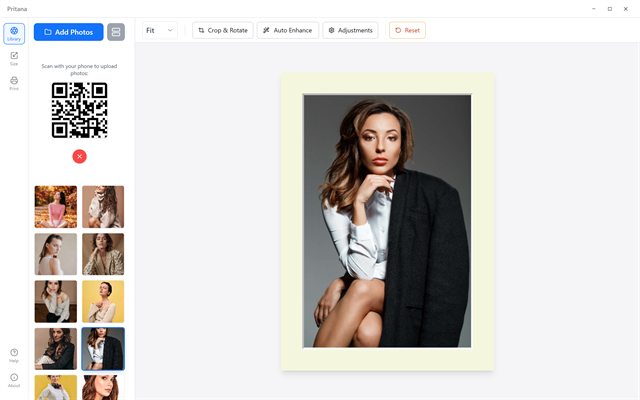
Drag & drop, use the file picker, or scan a QR code to upload straight from your phone. JPEG, PNG, TIFF, WebP, BMP and GIF are accepted; duplicates are detected automatically.
Choose frame & mat
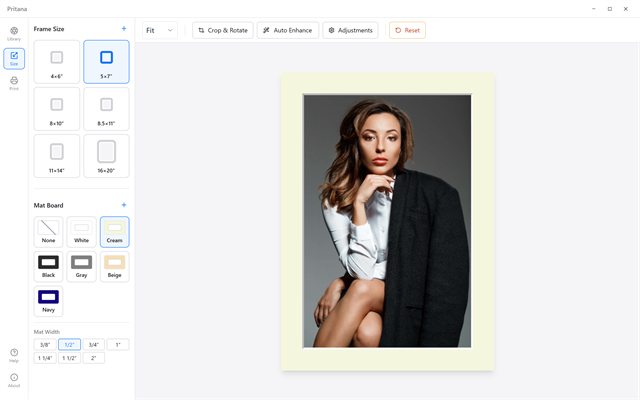
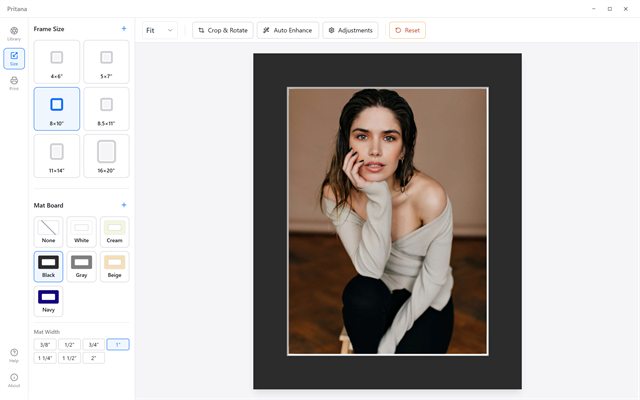
Pick a frame size from 4×6" to 16×20" (or add your own), then preview it behind a real mat board in six colors and seven widths.
Crop, adjust, enhance
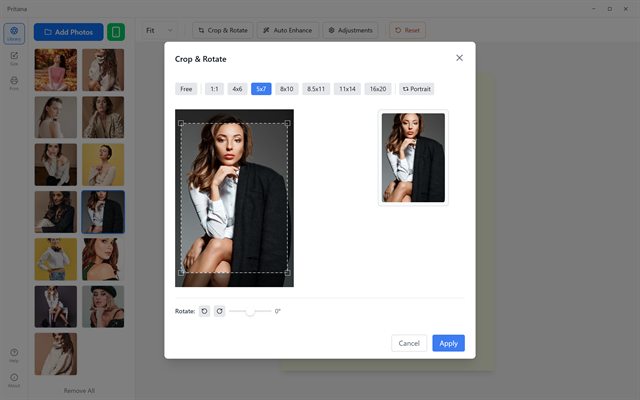
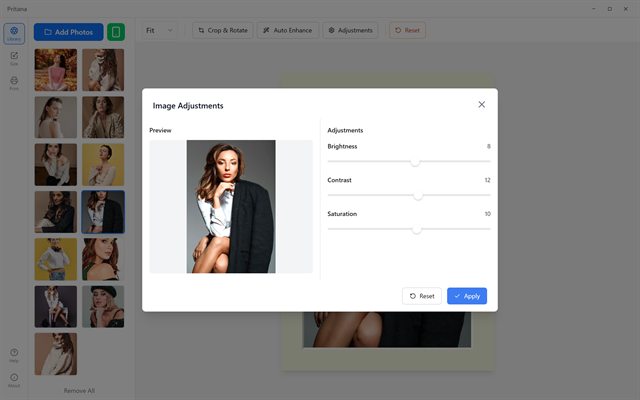
Crop to the exact print ratio, rotate, drag to reposition, and fine-tune brightness, contrast and saturation — or let Auto Enhance do it in one click.
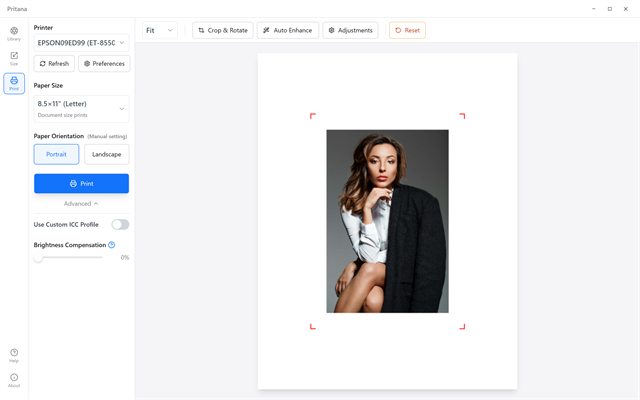
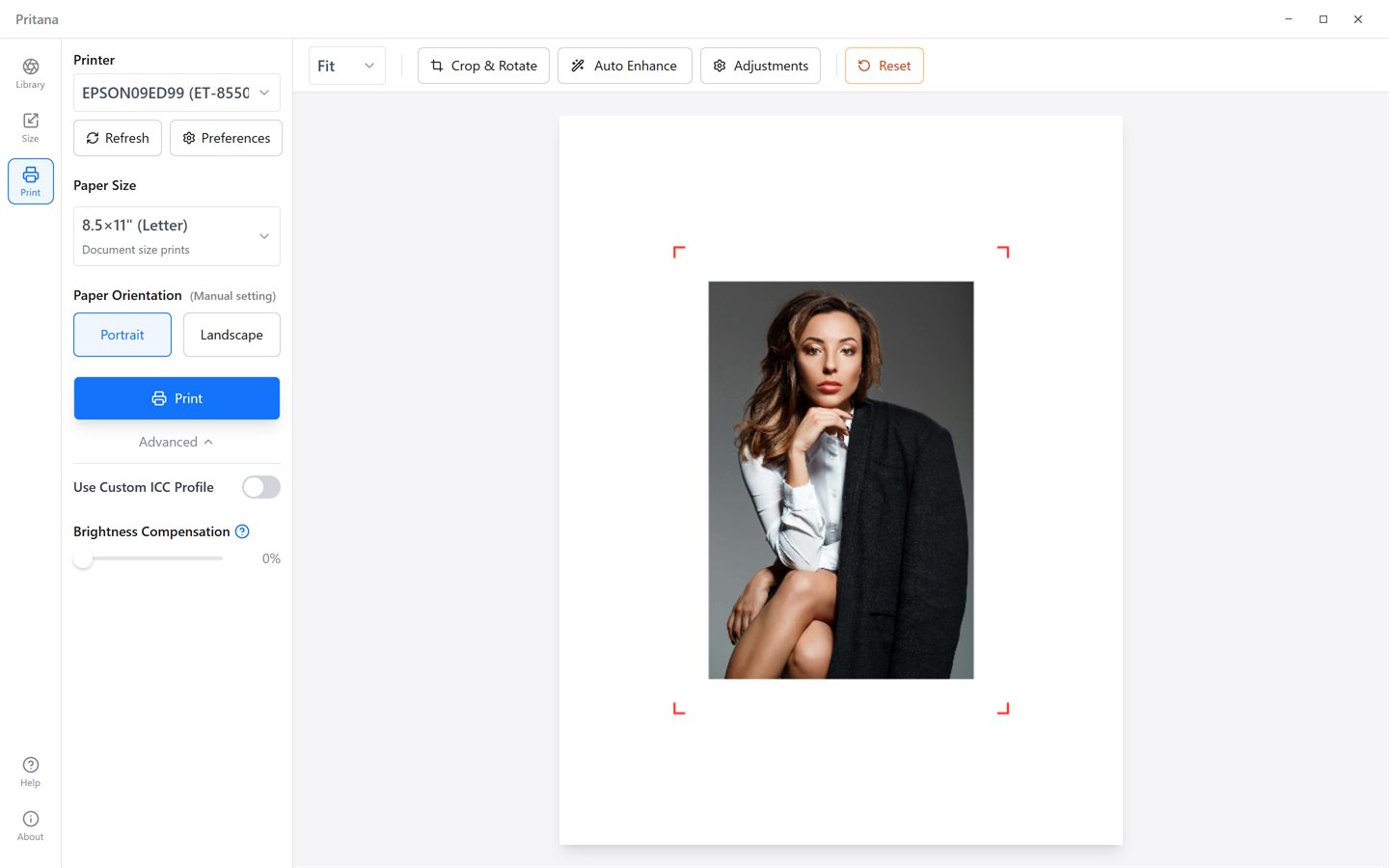
Choose the printer, paper size and orientation, optionally load an ICC profile and add brightness compensation, then print. The result matches the preview.
What you see is what you print
Pritana never edits your original file. Every crop, rotation and slider is stored as a lightweight recipe and replayed on the full-resolution photo only when you press Print.
Instant startup
A Rust core and a native WebView — no Electron, no heavy editor stack.
Light on memory
Previews use a 1500 px working copy; the big file is only read at print time.
Stable with large files
Heavy image work runs in a background worker so the UI never freezes.
See Pritana in action
A clean, three-panel interface. Click any screenshot to enlarge.
Built for printing, not for editing
Only the tools you need to get a photo onto paper — and get it right the first time.
Frame & mat board preview
See the photo behind a real mat — White, Cream, Black, Gray, Beige or Navy, from 3/8" to 2" wide — at true frame proportions. Add your own frame sizes and mat colors.
Crop & rotate for print
Ratio presets for 4×6, 5×7, 8×10, 8.5×11, 11×14 and 16×20, a portrait/landscape toggle, 90° rotation and fine-angle straightening — with a live result preview.
Auto Enhance & adjustments
One click analyses the histogram and sets brightness, contrast and saturation for paper. Tweak the sliders yourself, or reset to the original at any time.
Real print control
Printer list with live status, nine paper presets from Wallet to 20×30" plus custom sizes in mm, manual paper orientation, printer DPI detection, and the printer's own preferences dialog one click away.
ICC color & brightness compensation
Load the ICC profile for your printer and paper for accurate color, and dial in brightness compensation to close the gap between a glowing screen and reflective paper.
Phone upload, no cloud
Tap the phone button, scan the QR code, pick photos. They travel over your own Wi-Fi straight into the library — nothing is uploaded to the internet.
Why your prints look dark — and how Pritana fixes it
Screens emit light; paper only reflects it. A photo that looks perfect on a monitor often prints a stop too dark and slightly flat. Pritana gives you two tools built specifically for this problem.
- Brightness Compensation — a print-only slider in the Advanced print options that lifts the output without changing your on-screen edit.
- ICC Color Management — point Pritana at the ICC profile supplied for your printer and paper and colors are converted with LittleCMS before the data reaches the driver.
- Output sharpening — applied after the photo is resized to its final print dimensions, so detail stays crisp on paper.
What people print with it
A few notes we have received from users
“My 8×10s from the Canon always came out darker than my monitor. A small nudge on the brightness compensation slider fixed it on the second sheet, and the mat preview means I stopped guessing which crop would survive the frame.”
Daniel Reyes
Hobby photographer · Austin, TX
“We show customers their photo behind the actual mat colour before we cut anything. Fewer re-dos, and it runs fine on the old shop laptop. Hard to argue with free.”
Helen Mackenzie
Owner, small framing shop · Edinburgh
“Parents send photos from their phones with the QR code and I print 4×6s during the break. No accounts, nothing to set up. I would love a dark mode, but that is my only wish.”
Yuki Tanaka
Kindergarten teacher · Osaka
Latest Updates
Stay informed about new features, improvements, and bug fixes
v1.2.1 — Bug Fixes
September 2026
Bug Fixes
- • Prints now match the preview exactly — position, crop and adjustments all carry over to paper
- • Dragging a photo inside a mat board works again
- • The crop dialog remembers your last crop and no longer shrinks the photo on repeated crops
- • Frame orientation returns to portrait correctly after rotating back
Improvements
- • Printer list shows the real printer status
- • Auto Enhance is fully reversible and prints exactly as previewed
- • Sharper output at large print sizes
- • macOS: native Apple Silicon build alongside the Intel build
- • Canvas shortcuts: Ctrl + scroll to zoom, double-click to fit, R to reset, F / + / − / 0 on the keyboard
- • Importing many photos no longer gets stuck on "Processing…" when one file fails
- • Photos uploaded from a phone keep their original file names; leftover temporary files are cleaned up
Ready to print your first photo?
Free for personal and commercial use. Download, add a photo, pick a frame, print.